How to Configure Multiple GPUs on Servers
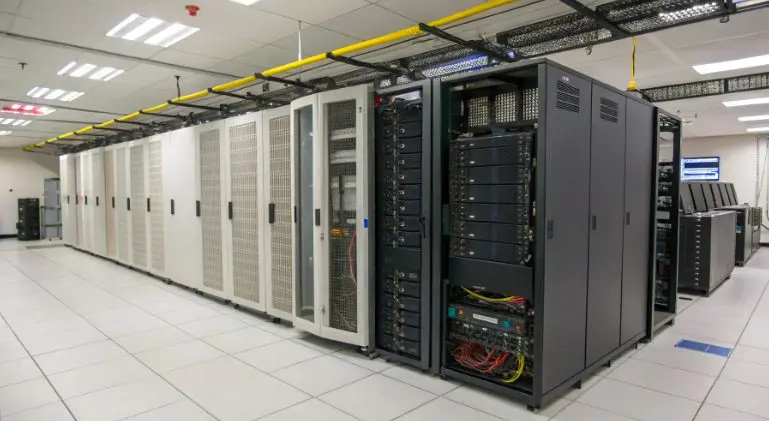
As AI training, deep learning, and large-scale data processing grow more demanding, single-GPU setups can no longer keep up with efficiency needs. Japan hosting stands out for its low-latency networks, stable power supply, and hardware compatibility—making it an ideal choice for multiple GPU configuration. This guide breaks down the technical workflow from hardware checks to optimization, tailored for tech enthusiasts seeking seamless multi-GPU synergy without brand locks or redundant data.
1. Pre-Configuration Checks: 3 Critical Prerequisites
Before diving into physical installation, validate these foundational elements to avoid compatibility failures or performance bottlenecks:
Hardware Compatibility Verification
- PCIe Slot Requirements: Ensure the server motherboard supports PCIe 4.0 or higher, with slot count matching your GPU quantity (Japanese hosting hardware often prioritizes expandability).
- Power Supply Calculation: Sum individual GPU power draw plus other components, then add 20% redundancy—leveraging Japan’s stable data center power grids for consistency.
- GPU Uniformity: Opt for identical GPU models to simplify synergy; cross-architecture mixes increase compatibility risks.
System & Environment Preparation
- OS Selection: Linux distributions (Ubuntu/CentOS) are preferred for GPU driver support; Windows Server requires prior driver compatibility confirmation.
- Kernel Compatibility: Avoid outdated kernels that cause driver conflicts (Japanese hosting typically offers optimized kernel versions for high-performance tasks).
- Essential Tools: Pre-install gcc, make, and cmake to facilitate driver and framework compilation.
Use Case Clarification
- Workflow Alignment: Distinguish between parallel computing (e.g., CUDA programming) and distributed training (e.g., framework-based cluster setups).
- VRAM Estimation: Calculate required video memory based on task complexity to prevent bottlenecks.
2. Step-by-Step Multiple GPU Configuration
Follow this technical workflow to ensure proper installation, driver integration, and synergy—with Japanese hosting-specific optimizations:
Physical Hardware Installation
- Safety First: Power down the server, use anti-static gear, and firmly insert GPUs into PCIe slots until the卡扣 locks into place.
- Cooling Optimization: Maintain adequate GPU spacing (minimum 2cm) and leverage Japanese hosting chassis’ airflow designs—adjust fan curves for high-load scenarios.
- Power Connection: Secure 8Pin/16Pin power cables to avoid loose connections that cause voltage fluctuations.
GPU Driver Installation & Validation
- Official Driver Source: Download drivers directly from the GPU manufacturer (avoid third-party builds for stability).
- Linux-specific Steps: Disable nouveau drivers via modprobe, run the installation script with sudo privileges, and reboot the server.
- Verification Commands: Use nvidia-smi (for NVIDIA) or rocm-smi (for AMD) to confirm all GPUs are detected—check for consistent device IDs and VRAM allocation.
Multi-GPU Synergy Configuration
- Mode Selection: Choose SLI/CrossFire for graphics rendering, CUDA MPS for compute tasks, or distributed frameworks for cluster setups.
- Toolkit Installation: Deploy the CUDA Toolkit (or equivalent) and configure environment variables (e.g., PATH, LD_LIBRARY_PATH) for system-wide access.
- Framework Integration:
- Single-Server Setup: Implement data parallelism in TensorFlow/PyTorch by specifying GPU IDs in code.
- Multi-Server Clusters: Use NCCL (NVIDIA Collective Communications Library) for low-latency inter-server communication—optimized for Japanese hosting’s high-speed internal networks.
Network & Bandwidth Optimization
- Internal Bandwidth Upgrade: Ensure 10Gbps+ internal networking for multi-GPU data transfer—Japanese hosting often offers dedicated high-speed links for cluster setups.
- Latency Reduction: Disable unnecessary network services, enable TCP BBR congestion control, and prioritize GPU-related traffic.
3. Troubleshooting: Common Pitfalls & Fixes
Tech enthusiasts often face these issues—here’s how to resolve them, including Japanese hosting-specific challenges:
Hardware-Level Issues
- GPU Detection Failures: Reseat PCIe connections, update motherboard BIOS, or check power supply load distribution.
- Overheating: Clean dust buildup, upgrade case fans, or use liquid cooling solutions (compatible with Japanese hosting chassis).
Software-Level Issues
- Driver Installation Errors: Uninstall conflicting old drivers, match kernel versions to driver requirements, or disable secure boot temporarily.
- Load Imbalance: Adjust task partitioning in frameworks, use GPU affinity settings, or upgrade to newer driver versions with better load distribution.
- Version Incompatibility: Cross-verify CUDA Toolkit, framework, and driver versions using official compatibility matrices.
Japanese Hosting-Specific Challenges
- Hardware Compatibility: Opt for GPU models sold locally in Japan for better motherboard integration and technical support.
- Data Compliance: Ensure multi-GPU compute tasks adhere to Japan’s Personal Information Protection Act (APPI) when processing sensitive data.
4. Optimization Tips for Maximum GPU Synergy
- VRAM Management: Enable GPU memory sharing, terminate idle processes, and use mixed-precision training to reduce VRAM usage.
- Task Scheduling: Assign high-priority tasks to higher-performance GPUs (if using heterogeneous setups) and leverage GPU virtualization for resource isolation.
- Regular Maintenance: Monitor GPU temperature, power draw, and load via CLI tools or dashboards—update drivers and frameworks quarterly for performance gains.
- Japanese Hosting Perks: Use local CDNs to accelerate driver/toolkit downloads, reducing latency from overseas servers.
5. Conclusion & Future Trends
Multiple GPU configuration on servers boils down to three core pillars: hardware compatibility, proper driver integration, and use-case-aligned synergy. Japanese hosting enhances this process with low latency, stable power, and expandable hardware—making it a top choice for tech enthusiasts. As GPU virtualization and multi-architecture synergy (CPU+GPU+NPU) evolve, staying updated on driver frameworks and hardware standards will be key to maximizing efficiency. Whether you’re building a local cluster or leveraging colocation services, the principles outlined here ensure a robust multiple GPU configuration that scales with your technical needs.
FAQ for Tech Enthusiasts
- Can I mix different GPU brands for multi-GPU setups? While technically possible, mixed brands (NVIDIA+AMD) require separate drivers and often suffer from synergy inefficiencies—stick to identical models for best results.
- How to test multi-GPU performance gains? Use benchmark tools like CUDA-Z or MLPerf to compare single vs. multi-GPU throughput—focus on task-specific metrics (e.g., training time, data processing speed).
- Do I need Linux expertise to configure multiple GPUs? While Linux is preferred for technical flexibility, Windows Server supports multi-GPU setups with simplified driver installation—though CLI familiarity helps with advanced optimizations.

