How to run multiple models on AI servers

You can run multiple models on an ai server by using containers, separate processes, or orchestration tools. These strategies help you manage resources and avoid conflicts. Tools like Docker or cloud services such as aws make this process smoother. Many teams use these methods for generative ai, llms, agents, and even multi-agent systems. Careful planning ensures that your deployments stay efficient and stable.
Run Multiple Models: Preparation and Setup
Hardware and Software Requirements
Before you run multiple models on a server, you need to check your hardware and software. The right setup helps you avoid slowdowns and errors. Many teams use amazon ec2 or similar cloud services for flexibility and power. If you want to run generative ai, llms, or agents, you need strong hardware.
Modern GPUs handle thousands of tasks at once. This massive parallelism lets you process data quickly.
High memory bandwidth in GPUs moves large amounts of data fast. This prevents bottlenecks when you run multiple models.
Features like Tensor Cores and mixed-precision support make training and inference more efficient. Multi-Instance GPU (MIG) partitioning lets you split one GPU for different tasks.
Most ai frameworks, such as TensorFlow and PyTorch, work best with GPU acceleration. Vendors offer drivers and libraries to help you get started.
You can choose a powerful ec2 instance on aws to meet these needs. Many users select instances with multiple GPUs and high memory. This setup supports agents and even multi-agent systems.
Tip: Always check the compatibility of your chosen ec2 instance with your preferred frameworks and drivers.
Environment Configuration
After you select your hardware, you need to set up your environment. This step helps you avoid conflicts and makes it easier to manage updates. Use containers or virtual environments to separate your models. Docker is a popular choice for this task.
Create a container for each model. This keeps dependencies isolated.
Assign different ports to each container. This prevents network issues.
Use environment variables to manage settings for each model.
A clear environment setup lets you run multiple models smoothly. You can scale your system or add new agents without major changes. Many teams use these methods on aws or amazon ec2 to keep their deployments stable.
Deployment Methods for Multi-Model Systems
When you run multiple models on an AI server, you need to choose the right deployment method. Each method helps you manage resources, avoid conflicts, and scale your system. You can use containers, virtual environments, or model serving frameworks. These tools support multi-model orchestration and make it easier to handle agents, large language models, and even multi-agent systems.
Containers and Process Isolation
Containers help you isolate each model and its dependencies. This isolation prevents conflicts and makes your deployments more stable. You can use containers to run multiple models side by side, even if they need different libraries or Python versions. Docker is the most popular tool for this job. It automates application deployment and keeps your environment consistent.
Here is a table of widely used containerization tools:
Tool | Description | Use Case |
|---|---|---|
Docker | Most widely used container implementation, automates application deployment. | Deploying AI models efficiently. |
Kubernetes | Scalable deployment framework for container orchestration. | Managing multiple AI model deployments. |
Amazon Elastic Container Service (ECS) | Popular container service from Amazon. | Hosting AI models in the cloud. |
Google Container Engine | Container service from Google. | Cloud-based AI model deployment. |
You can use Docker to create a separate container for each model. Kubernetes helps you manage many containers and scale your system. Amazon ECS and Google Container Engine let you deploy containers in the cloud. These tools work well with AWS and support generative ai workloads.
Tip: Assign a unique port to each container. This step prevents network conflicts and makes it easy to route requests to the correct model.
Virtual Environments and Dependency Management
Virtual environments let you separate dependencies for each model without using containers. You can use tools like venv or conda to create isolated Python environments. This method works well when you want to keep things simple or when your models do not need full containerization.
Create a virtual environment for each model.
Install only the required libraries in each environment.
Activate the correct environment before you start a model.
This approach helps you avoid dependency conflicts. You can update one model’s libraries without affecting others. Many teams use virtual environments for agents or when testing new versions of large language models.
Note: Virtual environments do not provide process isolation. If you need stronger isolation or want to scale across servers, containers or orchestration tools work better.
Model Serving Frameworks
Model serving frameworks make it easy to deploy, manage, and scale multiple models. These frameworks handle requests, load balancing, and resource allocation. You can use them to serve agents, generative ai models, or large language models in production.
Amazon SageMaker is a popular choice for deploying multi-model systems on AWS. It lets you build, train, and deploy models in a centralized platform. You can use Docker containers with SageMaker to keep your deployments consistent. SageMaker automates deployment and scales inference as needed. Many teams use it to support agents and multi-agent systems.
Other model serving frameworks include:
LangGraph: This framework uses a graph-based architecture. It gives you explicit control over workflows and scales well for enterprise needs.
CrewAI: CrewAI supports role-based systems. It helps you build collaborative AI agent interactions and works well for rapid prototyping.
AutoGen: AutoGen focuses on conversational agents. It supports complex problem-solving and works well in data science workflows.
You can also use frameworks like LitServe or cloud solutions from AWS to deploy and manage your models. These tools help you handle multi-model orchestration and keep your system efficient.
Callout: Choose a serving framework that matches your workload. For example, use SageMaker for scalable cloud deployments or LangGraph for advanced workflow control.
When you combine containers, virtual environments, and model serving frameworks, you can run multiple models on your AI server with confidence. These methods help you manage resources, avoid conflicts, and support agents or multi-agent systems at scale.
Resource and Performance Management
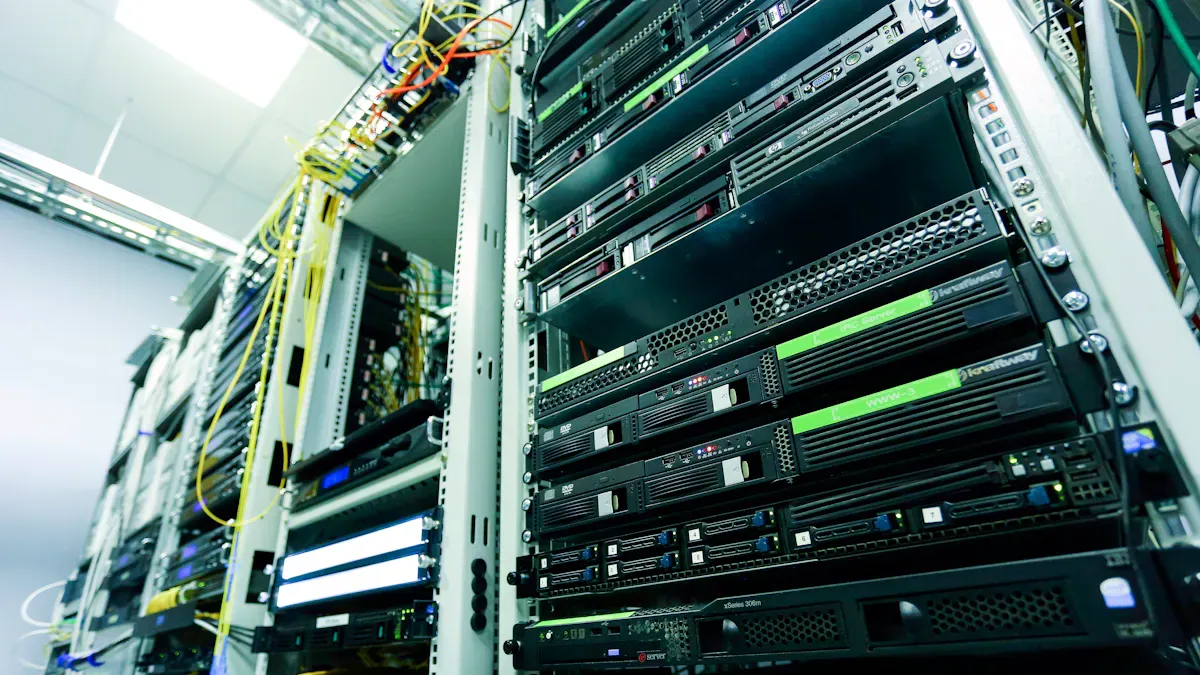
Managing resources well is key when you run multiple models on a single server. You need to make sure each model gets enough power without slowing down others. Good resource management helps you keep your ai workloads fast and stable, even as you add more agents or scale up to multi-agent systems.
Allocating GPUs, CPUs, and Memory
You should start by matching your hardware to your workload. When you use an ec2 instance from aws, you can pick the right amount of GPUs, CPUs, and memory for your needs. Amazon ec2 gives you the flexibility to choose instances with powerful GPUs and lots of memory, which is important for generative ai and llms.
To get the best performance, you need to use smart strategies for resource allocation:
Use resource management based on runtime information. This helps you optimize GPU usage as your models run.
Try scheduling strategies like binpack. This method puts several model replicas on the same GPU, which reduces wasted space and maximizes GPU use.
Use spread placement to balance models across all GPUs. This keeps any single GPU from getting overloaded.
Assign specific workers to certain models. This gives you more control and helps you avoid resource conflicts.
Run your models in containerized environments. Containers make it easier to share GPUs between different models and agents.
GPUStack 0.2 lets you split models across different workers. This feature is helpful when a single worker cannot handle a large model. By spreading the load, you can improve performance and make better use of your hardware.
Tip: When you use amazon sagemaker, you can set resource limits for each model. This helps you avoid running out of memory or overloading your CPUs.
Here is a table that shows common strategies for allocating resources:
Strategy | Benefit |
|---|---|
Binpack Placement | Maximizes GPU use, reduces fragmentation |
Spread Placement | Balances load, prevents GPU overload |
Assign Specific Workers | Gives precise control over deployments |
Containerized Environments | Enables efficient GPU sharing |
You should always monitor your resource usage. Tools like vLLM help you track GPU and memory use in real time. This lets you spot problems early and adjust your setup as needed.
Load Balancing and Scaling
As you add more models or agents, you need to balance the load across your hardware. Load balancing makes sure no single part of your system gets overwhelmed. This keeps your ai services fast and reliable.
You can use Nginx as a reverse proxy to route requests to the right model. Nginx helps you balance traffic between containers or servers. This is useful when you run several agents or deploy models on multiple ec2 instances.
Amazon sagemaker also supports automatic scaling. When your workload grows, sagemaker can add more resources to handle the extra load. This feature is important for production systems that use generative ai or serve many agents at once.
Here are some steps you can follow for better load balancing and scaling:
Set up a reverse proxy like Nginx to direct traffic to your models.
Use orchestration tools to manage containers and scale them up or down.
Monitor your system with tools like vLLM to see how much load each model handles.
Adjust your ec2 instance types as your needs change. AWS makes it easy to switch to bigger or smaller instances.
Use auto-scaling features in amazon sagemaker to grow your system without manual work.
Callout: Always test your system under heavy load before going live. This helps you find weak spots and fix them early.
When you follow these steps, you can run multiple models, agents, and even multi-agent systems on your servers with confidence. Good resource and performance management keeps your ai workloads running smoothly, whether you use aws, amazon ec2, or cloud tools like amazon sagemaker.
Common Pitfalls and Troubleshooting
When you run multiple models on AI servers, you may face some common challenges. Knowing these pitfalls helps you keep your system stable and efficient.
Dependency Conflicts
You might notice errors when two models need different versions of the same library. This problem often appears when you deploy agents or llms that use unique dependencies. To avoid these conflicts, use containers or virtual environments. Docker lets you isolate each model’s environment. You can also use tools like conda to manage Python packages. Always test your setup before deploying on aws. This step helps you catch issues early.
Port and Network Issues
Running several models at once means each one needs its own port. If you assign the same port to two models, you will see connection errors. You should keep a list of which ports each model uses. When you deploy on aws, use security groups to control network access. Nginx can help you route traffic to the right model. This tool works well for generative ai and agents that need fast responses.
Monitoring and Debugging
You need to monitor your models to spot problems quickly. Use tools that track CPU, GPU, and memory usage. On aws, you can use CloudWatch to set up alerts. If you see slowdowns, check your logs for errors. Debugging tools help you find the cause of failures. For example, vLLM gives you real-time stats for llms and agents. Regular monitoring keeps your system healthy.
Here is a table of common mistakes and solutions:
Common Mistakes | Solutions |
|---|---|
Interoperability issues | Standardize communication protocols among different devices. |
Scalability challenges | Offload computation to edge servers and check architecture compatibility. |
Operational inefficiency | Use adversarial learning to spot and fix misleading data. |
Data privacy concerns | Apply data sanitization and differential privacy for model hardening. |
Tip: Always document your setup and changes. Good records make troubleshooting easier when you use aws for agents or multi-model deployments.
Example: Deploying Two Models
Using Containers
You can deploy two models on your server by using containers. Start by creating a Docker container for each model. This method keeps dependencies separate and prevents conflicts. Assign a unique port to each container. You avoid network issues and make it easy to route requests. Use aws to launch your containers on a cloud instance. Choose an instance with enough GPUs and memory for your workload.
Kubernetes helps you manage containers. It uses Vertical Pod Autoscaler to estimate and adjust resources based on how your models perform. You do not need to guess how much memory or CPU each model needs. Monitor resource utilization to make sure you do not over-provision. Schedule containers effectively to optimize performance. You improve resource efficiency when you deploy multiple models in containers.
Tip: Always check resource usage. Adjust container settings if you see slowdowns or high memory use.
Integrating a Serving Framework
You can use a model serving framework to manage your models. This framework handles requests and balances resources. For example, you can deploy GPT-4 to handle customer interactions. Gemini Ultra can interpret visual data from damaged products. Llama 3.2 ensures real-time translations for global communication. These models work together to support agents and generative ai tasks.
Here is a table showing how different technologies fit into your ai deployment:
Technology Cluster | Description |
|---|---|
AI Approaches | Includes traditional machine learning and deep learning for many tasks. |
IoT Systems | Supports low-latency processing and distributed sensing. |
Digital Twin | Helps with modeling and decision-making for agents. |
You can use aws services like SageMaker to deploy your models. SageMaker lets you scale your llms and agents easily. You manage resource allocation and monitor performance from a single dashboard.
Callout: Use a serving framework to simplify deployment and improve reliability.
When you run multiple models on ai servers, you need strong preparation and the right tools. Good resource management supports reliability and scalability, especially for agents and llms. The table below shows how resource allocation and advanced technologies help your system:
Resource Allocation | Advanced Technologies | Collaborative Network Optimization |
|---|---|---|
Boosts performance | Improves efficiency | Enhances resource use |
You can use aws for deployment and orchestration. Try single-step SageMaker pipelines for simple agents or multi-step pipelines for complex workflows. CI/CD integration helps you manage changes and scale your agents with aws.
Single-step SageMaker pipelines
Multi-step pipelines
CI/CD integration
Apply these best practices to build flexible, reliable systems.
FAQ
How do you avoid conflicts when running multiple models?
You can use containers or virtual environments. These tools keep dependencies separate. Assign unique ports to each model. This prevents network issues and makes your setup stable.
What is the best way to monitor resource usage?
You should use monitoring tools like CloudWatch or vLLM. These tools track CPU, GPU, and memory. Set alerts for high usage. This helps you spot problems early and keep your ai workloads running smoothly.
Can you run agents and large language models together?
Yes, you can run agents and large language models on the same server. Use containers or model serving frameworks. This setup lets you manage resources and scale your system as needed.
How do you scale deployments for heavy workloads?
You can use orchestration tools like Kubernetes or cloud services such as SageMaker. These tools help you add more resources. Set up auto-scaling to handle extra traffic without manual changes.
What should you do if you see dependency errors?
Check your environment setup. Make sure each model uses its own container or virtual environment. Update libraries only in the affected environment. This keeps other models safe from conflicts.

