Stardew Valley Multiplayer Server Setup
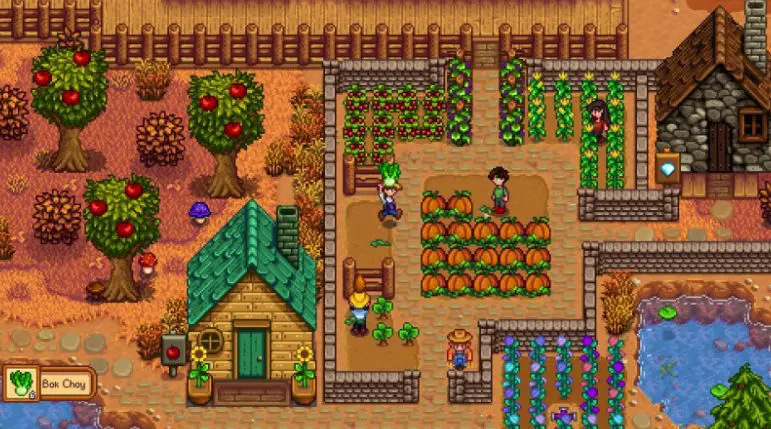
For tech enthusiasts seeking seamless cross-border multiplayer in Stardew Valley, a dedicated server hosted on Hong Kong infrastructure delivers unmatched latency performance and 24/7 availability. Unlike LAN or peer-to-peer setups, a Stardew Valley multiplayer server on Hong Kong hosting eliminates host dependency and optimizes connectivity for players across Asia. This guide dives into technical deployment, optimization, and mod integration for a production-grade gaming environment.
Pre-Deployment Preparation: Infrastructure & Tools
Core System Requirements
- Game Client: Uniform Stardew Valley version across all players to avoid compatibility conflicts
- Hosting Environment: Lightweight instances with minimal 2GB RAM suffice for 4-8 player lobbies
- Network Prerequisite: Public IP address and remote management permissions for the Hong Kong hosting instance
Hong Kong Hosting Selection Criteria
- Network Architecture: Opt for tier-1 carrier connections with CN2 routing to minimize cross-border latency
- Deployment Model: Lightweight hosting with dedicated bandwidth prioritizes gaming traffic stability
- OS Compatibility: Windows Server for beginner-friendly GUI management or Ubuntu for resource-efficient CLI operation
Essential Toolchain
- Server Files: Official Stardew Valley dedicated server package and SMAPI modding framework (optional)
- Remote Management: Terminal utilities for SSH access and file transfer protocols
- Diagnostics: Network testing tools to validate port accessibility and latency metrics
Step-by-Step Deployment on Hong Kong Hosting
Environment Initialization
- Secure the hosting instance by resetting default credentials and enabling firewall rules
- Disable non-essential background services to allocate maximum resources to the game server
- Configure time synchronization to prevent save file corruption from timestamp mismatches
Server File Deployment
- Acquire the official server package and transfer it to the hosting instance’s root directory
- Extract and validate file integrity to ensure no core components are missing
- Set file permissions to allow execution of the server binary without elevated privileges
Configuration & Port Forwarding
- Generate a dedicated save file with predefined farm settings, player limits, and access password
- Open the required UDP port in the hosting security group and local firewall rules
- Validate port accessibility using remote network scanning tools to confirm public reachability
Server Activation & Testing
- Initiate the server process and monitor the log output for initialization errors
- Test local connectivity via the game’s multiplayer menu using the Hong Kong hosting public IP
- Verify cross-region access by inviting remote players to validate latency and stability
Hong Kong Hosting Optimization for Low Latency
Network Tuning
- Implement TCP BBR congestion control algorithm to optimize data transmission over cross-border links
- Configure Hong Kong-local DNS servers to reduce domain resolution latency
- Adjust MTU settings to match regional network standards for packet loss reduction
Resource Management
- Set up process keep-alive mechanisms to automatically restart the server on unexpected crashes
- Implement CPU affinity to bind the game server process to specific cores for consistent performance
- Limit concurrent player count based on hosting resource capacity to avoid latency spikes
Cross-Platform Compatibility
- Optimize server settings to support cross-device gameplay (PC, mobile, console)
- Adjust connection timeouts to accommodate varying regional network stability
SMAPI Mod Integration for Multiplayer
Server-Side Mod Deployment
- Install SMAPI framework on the Hong Kong hosting instance and integrate with the game server
- Configure mod loading order via the SMAPI config file to resolve dependencies
- Enable mod logging to track compatibility issues during runtime
Multiplayer Mod Best Practices
- Enforce uniform mod versions across all clients and the server to prevent desyncs
- Prioritize lightweight mods to avoid overloading hosting resources
- Test mod combinations in a staging environment before deploying to production
Troubleshooting Mod Conflicts
- Use SMAPI’s built-in diagnostic tools to identify conflicting mod code
- Disable resource-intensive mods temporarily to isolate performance bottlenecks
- Roll back to a stable mod set if persistent crashes occur
Common Issues & Resolution
Server Initialization Failures
- File Corruption: Re-upload and re-extract server files to resolve missing components
- Permission Errors: Adjust file execution rights or run the server with elevated privileges temporarily
- OS Incompatibility: Switch to a supported operating system on the Hong Kong hosting instance
Connectivity Problems
- Port Misconfiguration: Recheck firewall rules and ensure UDP protocol support
- Latency Spikes: Upgrade hosting bandwidth or switch to a optimized network route
- IP Resolution Issues: Use static IP addressing for the Hong Kong hosting instance
Save File Integrity
- Corruption: Implement automated save backups to restore previous versions
- Sync Errors: Verify all players are on the same game version and mod set
Server Maintenance & Security
Save File Management
- Configure scheduled backups on the Hong Kong hosting instance to prevent data loss
- Store backups in multiple locations for disaster recovery
Resource Monitoring
- Set up real-time monitoring for CPU, RAM, and bandwidth utilization
- Create alerts for resource spikes that may impact gameplay
Security Hardening
- Restrict access to non-essential ports in the hosting firewall
- Use strong authentication for remote management of the Hong Kong hosting instance
- Regularly update the operating system and server software to patch vulnerabilities
Building a Stardew Valley multiplayer server on Hong Kong hosting combines low-latency cross-border connectivity with 24/7 reliability, ideal for tech-savvy players. By following this guide, you’ll create a robust environment supporting both vanilla and modded gameplay. Remember that a well-optimized Stardew Valley multiplayer server relies on careful hosting selection, proper configuration, and proactive maintenance to deliver a seamless gaming experience.

